Internet Explorer
Internet Explorer is not supported. Please upgrade to a more modern browser.

Billionaire City is a Java + Bedrock Minecraft city economy server where players start with little, work jobs, rent or buy property, own businesses, and build passive income inside a custom city.
The server is currently in beta, which means features, balancing, jobs, prices, and progression are still being improved with player feedback.
Java IP: billionaire.city
Bedrock IP: play.billionaire.city
Bedrock Port: 25567
On Billionaire City, you can:
Work jobs to earn money
Rent or buy apartments, houses, storage areas, boats, and corporate spaces
Save up for businesses and passive income
Upgrade your property and progress through the economy
Decorate your space with furniture and cosmetics
Use transport, pets, mounts, and voice chat
Play with both Java and Bedrock players
If you are new, your first goal is simple:
Join the server using the IP above
Use /jobs to pick a job
Earn your first money
Explore the city
Rent or buy your first property
Save toward your first business
Join the Discord for updates, events, and feedback
If you are ever unsure what to do, ask in chat or use /help.
/jobs - View and choose jobs/vote - Vote for the server and claim rewards/rules - Read the server rules/help - Get help with commands and server features/helpop - Contact online staff/discord - Join our Discord, if available in-game
Join the Billionaire City Discord for updates, events, feedback, and support:
billionaire.city/discord
If you want to support the server, you can visit the store:
billionaire.city/store
Purchases help fund hosting, development, builds, plugins, and future updates.
Billionaire City is still growing. If something feels confusing, too slow, too easy, broken, or unfinished, please tell us.
Player feedback helps shape the economy, jobs, property system, business progression, and future updates.
Thank you for being part of the city.
Welcome to Billionaire City. If you want a more interactive tutorial, give this guy a right click (he is a skinwalker, he stole your name).
If not feel free to sick around, il be covering whatever this guy has to say, plus even more!
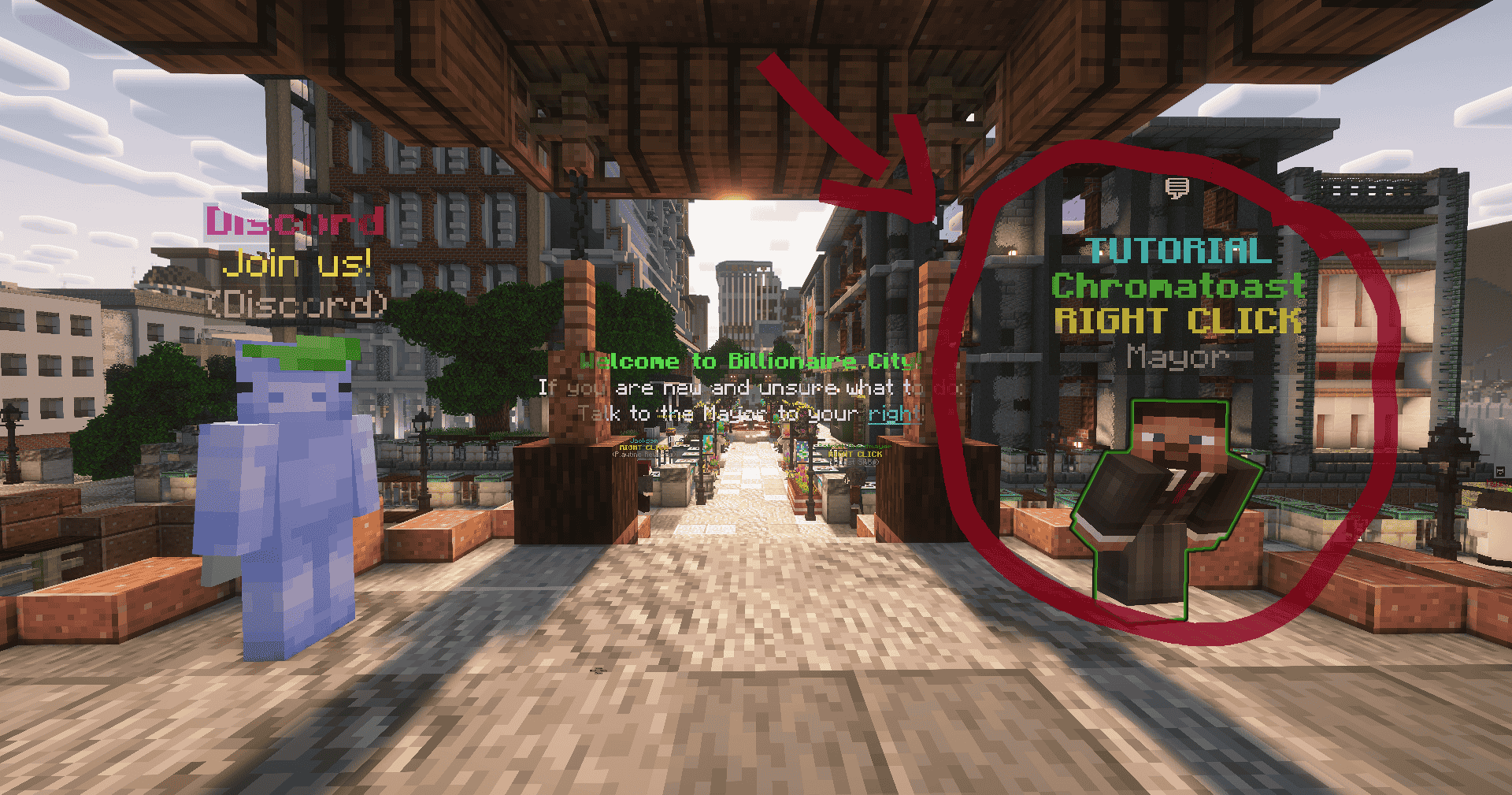
When you first join, your main goal is simple: earn a bit of start-up capital, find your way around the city, and start making your mark, one step at a time.
Now, lets start with that first goal, earning a bit of start-up capital. There are many ways to earn money in Billionaire City (you will soon come to discover), a good starting job however is the Mine as it introduces you to many of the core mechanics of B-City (Billionaire City)!
Before we can start earning though, we have to get there, to do this you can use /taxi, or find a bus stop and head to the "B-City Mine" stop. You can also find your way around using /gps, this will navigate you through public transport till you get to your destination, in this case, the mine.
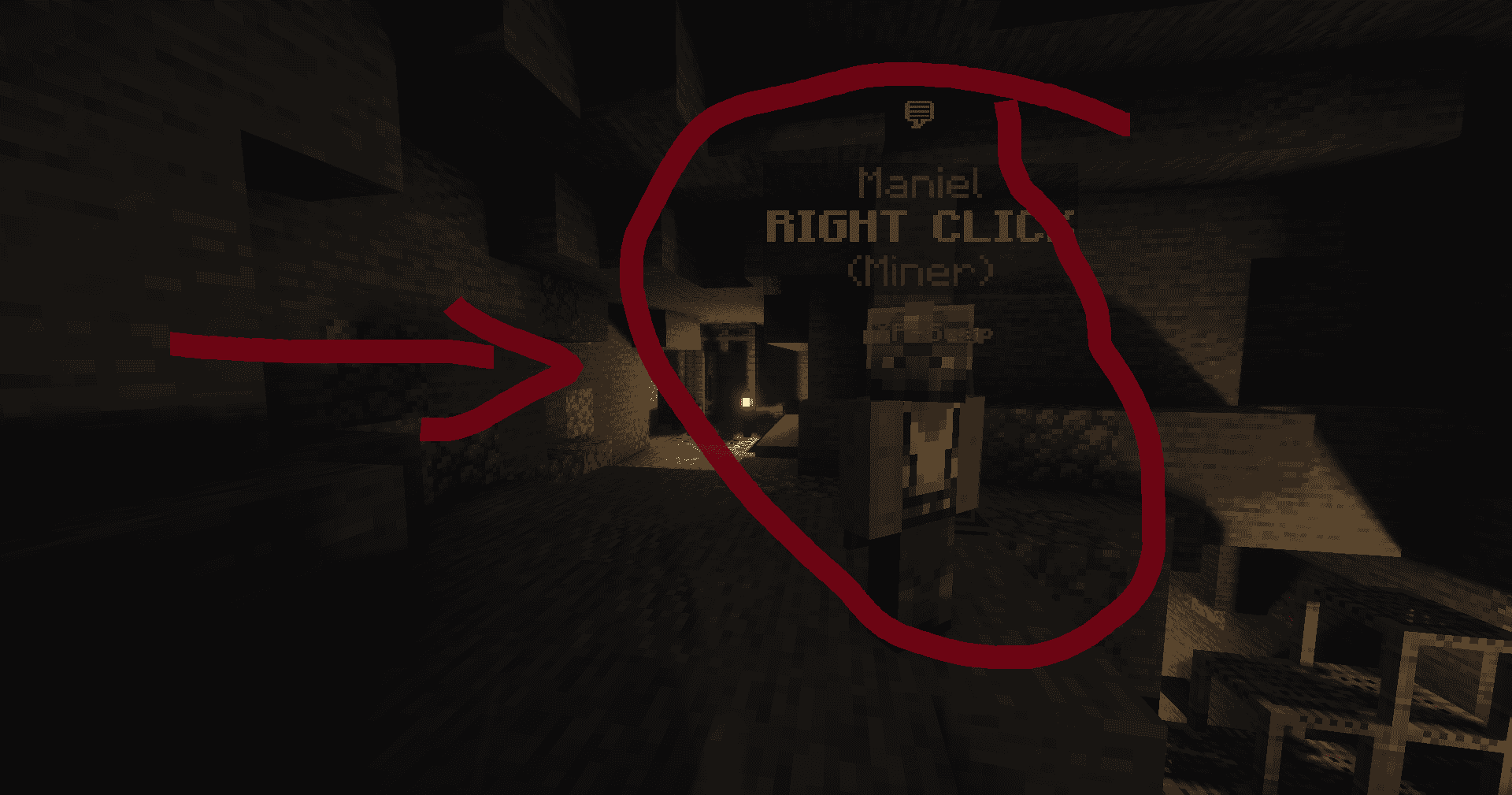
(Ignore how cursed this image looks, compression went funky)
Once you arrive at the Mine, head up the hill behind you and visit the Maniel the Miner (as seen above). Start the job through him and go ham mining Coal! As you level up mining, you will be able to get better tools to mine better ores! All jobs have a progression similar to this, so its good to familiarise yourself with it now. This is one of the easiest ways to start earning money and learning the inner mechanisms of B-City.
Voila, you have now earned your first bit of cash in B-City, what you do with it is up to you, you could save for a house, a corporation, or even a conglomerate, the world is your oyster, as they say.
REMEMBER: B-City is not a race! Take it at your own pace, B-City is a big place with a lot to do, but its important to remember that you are not alone and the community will always help you out if you get stuck or confused. We hope you enjoy your time with B-City, as much as we did creating it! :) - The B-City Staff
Well you're in the right place, check out the tabs on the side for more info on various topics and things you can do in Billionaire City!
Ok that's all from me now, see you on the streets of Belleview!
Some basic rewards and community links are available through simple commands.
Use `/claimrewards` or `/claimr` to claim rewards waiting on your account.
If you do not have any pending rewards, the server will tell you.
Use one of these commands to open the bonus menu if you are eligible:
- `/newplayer`
- `/np`
- `/returnplayer`
- `/rp`
The bonus can only be claimed when your account is eligible. The claim menu warns you before final confirmation.
Current reward contents may include:
- A temporary sell boost voucher
- Gold Rush tickets
- Platinum
Use `/namemc` or `/nmc` after liking the Billionaire City NameMC page.
NameMC page:
`https://namemc.com/server/billionaire.city`
If the like has not processed yet, wait a few moments and try again.
Use `/discord`, `/dc`, or `/disc` for the Discord link.
Discord URL:
`https://billionaire.city/discord`
Use `/store` or `/buy` for the store link.
Store URL:
`https://billionaire.city/store`
Use `/bplus`, `/billionaireplus`, `/rank`, or `/ranks` to view rank and premium package information in game.
Enchanting allows gear to perform its normal job with considerably more confidence and, in some cases, fire.
Hold the item you want to improve, then:
- Use `/gear upgrade` or `/gear enchanting`; or
- Sneak and right-click.
The menu only lists compatible enchantments. Click one to purchase its next level with the Upgrade Points stored on that item.
Every enchantment has:
- A maximum level.
- A fixed Upgrade Point cost for each level.
- One or more eligible gear classes.
- Possibly a conflict with another enchantment.
- Possibly the `Ultimate` designation.
The cost is paid for each level. If an enchantment costs three points, level I costs three, level II costs another three, and so on. The menu upgrades one level at a time so you have several opportunities to reconsider what you are doing.
Drag an enchantment book onto compatible gear in your inventory. On success, the book is consumed and the enchantment is applied without spending Upgrade Points.
The book cannot:
- Exceed the enchantment's maximum level.
- Apply to an incompatible class.
- Ignore a conflict.
- Add a second Ultimate enchantment.
Always read the book and target item first. Dropping expensive literature onto random gardening equipment is not a recognised enchanting strategy.
Some enchantments represent mutually exclusive approaches:
| Choice A | Choice B | Why you must choose |
|---|---|---|
| Fortune | Silk Touch | Extra normal drops versus collecting the original block |
| Sharpness | Smite or Bane of Arthropods | General damage versus specialised enemy damage |
| First Strike | Triple Strike | One large opening hit versus three smaller opening bonuses |
| Execute | Prosecute | Damage against weakened enemies versus healthy enemies |
| Life Steal | Syphon | Healing on ordinary damage versus healing through critical hits |
| Depth Strider | Frost Walker | Moving through water versus turning it into floor |
| Piercing | Multishot | Passing through targets versus firing multiple projectiles |
Existing conflicts are checked when applying upgrades and books. The Enchanter is strict about this. It has seen what happens when Silk Touch and Fortune are left unsupervised together.
Ultimate enchantments are powerful, expensive, and limited to one Ultimate per item.
| Ultimate | Eligible gear | Effect per level |
|---|---|---|
| Momentum | Swords and bows | +8 Strength |
| Last Stand | Armour | +10 Defense while below 40% Health |
| Masterwork | Pickaxes, axes, shovels, hoes, and fishing rods | +8 matching Fortune |
Choose an Ultimate around the item's intended purpose. An item cannot collect Ultimate enchantments like decorative fridge magnets.
Several familiar enchantments are synchronised with their vanilla equivalent so their normal Minecraft mechanics continue to work. Billionaire City's custom lore replaces the ordinary enchantment list, but an enchanted item still glints.
Other enchantments are entirely custom and may interact with jobs, profession stats, Nightlair, or special abilities.
- Decide what the item is for before spending points.
- Check conflicts before committing to one side.
- Remember that Fortune and Wisdom affect different outcomes: drops versus Mastery XP.
- Keep enough points for expensive one-level enchants such as Mending if you want them.
- Consider the item's reforge as part of the same build.
- Read the in-game menu when balance has recently changed.
There is no ordinary player disenchant button documented here. Treat spent points as a real build decision, not a free tasting menu.
This page lists the enchantments in the current gear catalogue. `Cost` means Upgrade Points required for **each** level. Roman numerals are stylish, but ordinary numbers are much less likely to start a disagreement in a table.
| Enchantment | Maximum | Cost | Gear | Effect |
|---|---|---|---|---|
| Efficiency | 5 | 1 | Pickaxe, axe, shovel, hoe | Mines and harvests blocks faster. |
| Fortune | 5 | 2 | Pickaxe, axe, shovel, hoe | Adds 50 matching Fortune at level I, then 100 more per additional level. Conflicts with Silk Touch. |
| Silk Touch | 1 | 8 | Pickaxe, axe, shovel, hoe | Drops compatible blocks in their original form. Conflicts with Fortune. |
| Unbreaking | 5 | 1 | Weapons, armour, profession tools, fishing rods | Reduces durability consumed while using the item. |
| Mending | 1 | 10 | Weapons, armour, profession tools, fishing rods | Repairs durability when experience is collected. |
Fortune provides 50, 150, 250, 350, or 450 matching Fortune at levels I–V. Yes, level II is a large jump. No, the table has not fallen down the stairs.
| Enchantment | Maximum | Cost | Gear | Effect |
|---|---|---|---|---|
| Sharpness | 7 | 2 | Sword, axe | +5 Damage per level. Conflicts with Smite and Bane of Arthropods. |
| Smite | 7 | 2 | Sword | +8% damage per level against undead enemies. Conflicts with Sharpness and Bane of Arthropods. |
| Bane of Arthropods | 7 | 2 | Sword | +8% damage per level against arthropods. Conflicts with Sharpness and Smite. |
| Critical | 7 | 2 | Sword, bow | +8% Crit Damage per level. |
| First Strike | 5 | 2 | Sword | The first hit deals +10% damage per level. The attack chain resets after five seconds. Conflicts with Triple Strike. |
| Triple Strike | 5 | 2 | Sword | The first three hits deal +4% damage per level. The chain resets after five seconds. Conflicts with First Strike. |
| Execute | 6 | 2 | Sword, bow | Deals up to +10% damage per level as the enemy becomes weaker. Conflicts with Prosecute. |
| Prosecute | 6 | 2 | Sword, bow | Deals up to +10% damage per level while the enemy is healthy. Conflicts with Execute. |
| Giant Killer | 7 | 2 | Sword, bow | +4% damage per level when the target's maximum Health exceeds yours. |
| Looting | 5 | 2 | Sword | +2 Lucky Find per level for eligible combat drops. |
| Scavenger | 5 | 2 | Sword, bow | Improves eligible currency rewards from defeated enemies. |
| Life Steal | 5 | 3 | Sword | Heals 0.5% of final damage dealt per level. Conflicts with Syphon. |
| Syphon | 5 | 3 | Sword | Critical hits heal 0.6% of final damage dealt per level. Conflicts with Life Steal. |
| Fire Aspect | 3 | 2 | Sword, axe | Ignites struck enemies for two seconds per level. |
| Knockback | 2 | 2 | Sword | Pushes struck enemies farther away. |
| Night Slayer | 5 | 3 | Sword, bow, axe | +5% damage per level inside Nightlair. It does not assist with ordinary insomnia. |
`Sword` includes tridents within the gear system. `Bow` includes bows and crossbows, although a projectile enchantment may still follow the normal mechanical limits of the underlying item.
| Enchantment | Maximum | Cost | Effect |
|---|---|---|---|
| Protection | 7 | 2 | +4 Defense per level. |
| Growth | 7 | 2 | +5 Health per level. |
| Thorns | 5 | 2 | May damage enemies which strike you. |
| Feather Falling | 5 | 2 | Reduces fall damage by 8% per level. |
| Respiration | 3 | 2 | Extends underwater breathing time. |
| Aqua Affinity | 1 | 3 | Removes the underwater mining-speed penalty. |
| Depth Strider | 3 | 2 | Increases underwater movement speed. Conflicts with Frost Walker. |
| Frost Walker | 2 | 3 | Freezes nearby water while walking. Conflicts with Depth Strider. |
| Enchantment | Maximum | Cost | Effect |
|---|---|---|---|
| Power | 7 | 2 | +5 ranged Damage per level. |
| Snipe | 5 | 2 | Increases arrow damage over longer distances. |
| Infinite Quiver | 5 | 2 | Grants a chance not to consume arrows. |
| Punch | 2 | 2 | Increases projectile knockback. |
| Flame | 2 | 2 | Ignites enemies hit by projectiles. |
| Piercing | 4 | 2 | Allows projectiles to pass through additional targets. Conflicts with Multishot. |
| Multishot | 1 | 6 | Fires multiple projectiles. Conflicts with Piercing. |
Critical, Execute, Prosecute, Giant Killer, Scavenger, Night Slayer, and Momentum also support ranged weapons and are listed in their relevant sections.
| Enchantment | Maximum | Cost | Effect |
|---|---|---|---|
| Luck of the Sea | 5 | 2 | Improves fishing rewards and adds 10 Fishing Fortune per level. |
| Lure | 5 | 2 | Reduces the wait before fish bite. |
| Big Catch | 5 | 2 | Adds 5 Fishing Fortune per level and supports the server's major-catch behaviour. |
| Enchantment | Maximum | Cost | Effect |
|---|---|---|---|
| Crop Growth | 5 | 2 | Adds 5 Farming Fortune per level and improves nearby crop effects. |
| Thorn Protection | 5 | 2 | Protects you from cactus and sweet berry bush damage while the enchanted hoe is held. |
| XP Berries | 5 | 2 | Adds 4 Farming Wisdom per level and may produce ordinary experience while harvesting. |
Thorn Protection currently has five purchasable levels, but its protection is a yes-or-no effect rather than five increasingly polite negotiations with a cactus.
| Enchantment | Maximum | Cost | Effect |
|---|---|---|---|
| Divining | 5 | 2 | Adds 5 Mining Fortune per level and supports ore-divining effects. |
| Ore Infusion | 5 | 2 | Can restore durability when mining ore matching the pickaxe's material, at one durability per level. |
| Auto Miner | 5 | 3 | Right-click during an active Miner job at a valid location to deploy a ten-second automatic miner. It searches within five blocks. Cooldown falls from 60 seconds at level I to 40 seconds at level V. |
| Industrial Rhythm | 5 | 2 | Adds 4 Mining Wisdom per level and rewards sustained mining. |
| Echo Drill | 5 | 2 | Adds 4 Mining Fortune per level and can echo mined drops through its charged effect. |
| Enchantment | Maximum | Cost | Effect |
|---|---|---|---|
| Timber | 5 | 2 | Adds 8 Timber per level, increasing the logs which may be felled in one swing. |
Axes may also use Efficiency, Fortune, Silk Touch, Unbreaking, Mending, Sharpness, Fire Aspect, and Night Slayer.
Only one Ultimate enchantment may exist on an item.
| Enchantment | Maximum | Cost | Gear | Effect |
|---|---|---|---|---|
| Momentum | 5 | 8 | Sword, bow | +8 Strength per level. |
| Last Stand | 5 | 8 | Armour | +10 Defense per level while below 40% Health. |
| Masterwork | 5 | 8 | Pickaxe, axe, shovel, hoe, fishing rod | +8 matching profession Fortune per level. |
- Fortune ↔ Silk Touch
- Sharpness ↔ Smite ↔ Bane of Arthropods
- First Strike ↔ Triple Strike
- Execute ↔ Prosecute
- Life Steal ↔ Syphon
- Depth Strider ↔ Frost Walker
- Piercing ↔ Multishot
These values may be rebalanced. Check the in-game upgrade menu before spending points if the server has recently updated; it is difficult to argue “but the old wiki said so” with an Enchanter who does not have internet access.
Gear Mastery is progression attached to an individual item. Your sword learns by swording. Your pickaxe learns by pickaxing. Your helmet mostly learns that combat is an alarming workplace.
- Supported gear can reach Mastery level 50.
- An item begins at Mastery level 0.
- Eligible use earns Mastery XP for that item.
- Every Mastery level grants that item one Upgrade Point.
- An item can hold up to 50 unspent Upgrade Points.
- The item's Mastery, XP, and points are stored on the item itself.
These are not account-wide points. Levelling one pickaxe does not fund the enchantments on another pickaxe. This is a meritocracy run by inanimate objects.
The XP required for the next level grows by approximately 12% per current level:next level XP = 100 × 1.12 ^ current Mastery level
The result is rounded to the nearest whole XP. Early levels arrive quickly; later levels expect a more serious relationship.
| Current level | Approximate XP for next level |
|---|---|
| 0 | 100 |
| 1 | 112 |
| 5 | 176 |
| 10 | 311 |
| 20 | 965 |
| 30 | 2,996 |
| 40 | 9,305 |
| 49 | 25,804 |
The action must be appropriate for the item:
- Combat weapons gain XP through eligible damage dealt to non-player living enemies.
- Profession tools gain XP while performing their matching job actions.
- Other supported equipment gains XP through its eligible use cases.
Profession-tool XP can be increased by the matching Wisdom stat, tool-XP bonuses, and active global tool-XP boosters. If no eligible action occurred, waving the item encouragingly at the sky will not train it
Open the upgrade menu with either method:
- Use `/gear upgrade` or `/gear enchanting` while holding the supported item.
- Sneak and right-click while holding the item.
The menu displays only enchantments compatible with the held item. Clicking an enchantment buys its next level using that item's Upgrade Points.
Each enchantment has a point cost per level. For example, an enchantment costing two points per level requires two points to move from level II to III.
See Enchanting for the rules and Enchantment Reference for current costs.
An enchantment book can apply its stored enchantment without spending the item's Upgrade Points. Drag the book onto compatible gear in your inventory. If the application succeeds, the book is consumed.
Books still obey:
- Gear compatibility.
- Maximum enchantment levels.
- Enchantment conflicts.
- The limit of one Ultimate enchantment per item.
A book is therefore a shortcut, not diplomatic immunity.
Some rewards may provide vouchers which add Upgrade Points directly to an item. Points cannot raise the item above its 50-point storage cap, so check the lore before applying one. Exact voucher sources may change with rewards and events.
Because progression lives on the item:
- Trading transfers its progress to the buyer.
- Storing it preserves its progress.
- Dying or entering special activities follows that activity's normal inventory rules.
- Replacing the item means starting the new item's Mastery separately.
Before trading valuable gear, compare the full lore: material alone does not reveal Mastery, unspent points, enchantments, or reforge.
At Mastery 50, the item stops gaining Mastery levels. It can still use its existing enchantments and reforge normally. A level-50 item is not automatically fully enchanted: if points were spent selectively, its build remains selective. This is called character. Or budgeting.
Billionaire City has both gear rarity and food quality. They use different tiers, affect different systems, and should not be introduced at parties as if they are the same person.
Gear rarity is displayed in the final line of an item's lore. It determines the strength of the item's reforge bonus and the price of ordinary reforging.
| Rarity | Display colour | Default vanilla material | Basic reforge price |
|---|---|---|---|
| Common | White | Wood, leather, and ordinary fallback items | 250 B$ |
| Uncommon | Green | Stone, gold, and chainmail | 500 B$ |
| Rare | Blue | Iron | 1,000 B$ |
| Epic | Dark purple | Diamond | 2,500 B$ |
| Legendary | Gold | Netherite | 5,000 B$ |
| Mythic | Light purple | Custom or tier-six equipment | 5,000 B$ |
These are defaults, not a constitutional guarantee. Custom equipment may be assigned a different rarity and different base stats.
Rarity does not automatically describe: - The item's Mastery level. - How many Upgrade Points remain. - Which enchantments it has. - Whether its current reforge suits your build. - Whether the seller can be trusted when they say “best sword on server, quick sale.” Inspect the complete lore. A Legendary untrained item and a carefully upgraded Epic item solve different problems.
Harvest Containers derive effective rarity from tier:
| Tier | Rarity | Base Fortune from tier |
|---|---|---|
| 1 | Common | 2 |
| 2 | Uncommon | 4 |
| 3 | Rare | 6 |
| 4 | Epic | 8 |
| 5 | Legendary | 10 |
| 6 or above | Mythic | 12 |
The current balance adds two matching Fortune per container tier, up to the tier-six stat cap. Each container upgrade adds another two matching Fortune, up to upgrade level five. Only your strongest carried container for each profession family contributes to player stats. Eight weaker farming containers remain eight excellent containers, but they do not form Voltron.
Quality belongs to crops, edible animal drops, and food made from quality ingredients. It affects sale value and food effectiveness.
| Quality | Display colour | Sell value | Food strength |
|---|---|---|---|
| Standard | Gray | ×1.00 | ×1.00 |
| Fine | Green | ×1.15 | ×1.10 |
| Superior | Gold | ×1.30 | ×1.25 |
| Pristine | Light purple | ×1.60 | ×1.50 |
Food strength scales the food and saturation restored. It also scales the duration of newly gained beneficial effects from the food. Quality cakes keep their quality when placed and eaten, because civilisation has rules.
Mature crop harvests can roll Fine, Superior, or Pristine quality. The current chance formulas use Farmer level and Farming Fortune, with Farmer level capped at 50 for this calculation:
| Quality | Chance before cap | Maximum chance |
|---|---|---|
| Fine | 10 + (0.4 × Farmer level) + (0.05 × Farming Fortune) | 45% |
| Superior | -5 + (0.3 × Farmer level) + (0.05 × Farming Fortune) | 25% |
| Pristine | -5 + (0.1 × Farmer level) + (0.02 × Farming Fortune) | 10% |
Negative results behave as no chance. Standard receives whatever probability remains. If configured chances ever add up beyond 100%, they are proportionally normalised so the server does not attempt to harvest 113% of a potato's moral character. Edible animal drops can also receive quality through the applicable gathering systems.
Crafted and cooked food inherits quality from its ingredients: 1. Ingredient quality is converted into a weighted average. 2. The result rounds down to the corresponding quality tier. 3. Artisanry may then improve the result by one tier. The Artisanry uplift chance is 0.5% per Artisanry level, up to 25%. Furnace and campfire processing can track the responsible player so their Artisanry level applies. When a system can consume otherwise equivalent ingredients of different qualities, it uses the lower-quality items first. The server will eat the Standard carrots before reaching for the Pristine ones, demonstrating more restraint than most of us possess near a buffet.
| System | Applies to | Main effects | Tiers |
|---|---|---|---|
| Rarity | Gear and Harvest Containers | Reforge strength and reforge price | Common through Mythic |
| Quality | Crops, edible drops, and food | Sale multiplier and food effectiveness | Standard through Pristine |
A Mythic potato is not a current quality tier. A Pristine chestplate is not a current gear rarity. If either appears, contact staff or a qualified produce appraiser.
Reforge bonuses scale with item rarity. In the tables below, C, U, R, E, L, and M mean Common, Uncommon, Rare, Epic, Legendary, and Mythic. This abbreviation saves space and prevents the Mythic column from moving into a neighbouring postcode.
These can appear in the ordinary random-reforge pool for compatible gear.
| Reforge | Gear | Stat | C | U | R | E | L | M |
|---|---|---|---|---|---|---|---|---|
| Keen | Sword, bow | Crit Chance | 3% | 4% | 5% | 7% | 10% | 12% |
| Crit Damage | 5% | 7% | 10% | 14% | 20% | 25% | ||
| Strong | Sword, bow | Strength | 5 | 8 | 12 | 18 | 25 | 32 |
| Swift | Sword, bow, fishing rod | Speed | 2 | 3 | 5 | 7 | 10 | 12 |
| Bonus Attack Speed | 2% | 3% | 5% | 7% | 10% | 12% |
| Reforge | Stat | C | U | R | E | L | M |
|---|---|---|---|---|---|---|---|
| Healthy | Health | 8 | 12 | 18 | 25 | 35 | 45 |
| Sturdy | Defense | 5 | 8 | 12 | 18 | 25 | 32 |
| Fierce | Strength | 2 | 3 | 5 | 7 | 10 | 13 |
| Crit Damage | 3% | 5% | 8% | 11% | 15% | 20% |
Matching means the stat changes to suit the tool or Harvest Container: Mining for pickaxes, Farming for hoes, Foraging for axes, Fishing for rods, and the matching family for a container.
| Reforge | Gear | Stat | C | U | R | E | L | M |
|---|---|---|---|---|---|---|---|---|
| Fleet | Pickaxe, axe, shovel, hoe | Speed | 2 | 3 | 5 | 7 | 10 | 12 |
| Fortunate | Pickaxe, axe, shovel, hoe, Harvest Container | Matching Fortune | 5 | 8 | 12 | 18 | 25 | 32 |
| Seasoned | Profession tools, fishing rod, Harvest Container | Matching Wisdom | 2 | 3 | 5 | 7 | 10 | 12 |
| Lucky | Fishing rod | Fishing Fortune | 5 | 8 | 12 | 18 | 25 | 32 |
| Lucky Find | 1 | 2 | 3 | 4 | 5 | 6 |
The following reforges require their corresponding Reforge Stone and do not appear in the ordinary random pool.
For swords and bows. Adds Damage.
| Rarity | Common | Uncommon | Rare | Epic | Legendary | Mythic |
|---|---|---|---|---|---|---|
| Damage | 5 | 8 | 12 | 18 | 25 | 32 |
For armour. Adds Defense.
| Rarity | Common | Uncommon | Rare | Epic | Legendary | Mythic |
|---|---|---|---|---|---|---|
| Defense | 10 | 15 | 22 | 32 | 45 | 60 |
For armour. Fireproof has no numerical stat row: wearing a Fireproof armour piece prevents fire and lava damage. It is the only reforge which can look at a lava lake and say, “This seems like a pedestrian-access issue.”
For axes and hoes. Adds Foraging Fortune to axes or Farming Fortune to hoes.
| Rarity | Common | Uncommon | Rare | Epic | Legendary | Mythic |
|---|---|---|---|---|---|---|
| Matching Fortune | 8 | 12 | 18 | 25 | 35 | 45 |
For pickaxes, shovels, and Mining Harvest Containers.
| Stat | Common | Uncommon | Rare | Epic | Legendary | Mythic |
|---|---|---|---|---|---|---|
| Mining Fortune | 8 | 12 | 18 | 25 | 35 | 45 |
| Mining Wisdom | 2 | 3 | 5 | 7 | 10 | 12 |
For fishing rods.
| Stat | Common | Uncommon | Rare | Epic | Legendary | Mythic |
|---|---|---|---|---|---|---|
| Fishing Fortune | 10 | 15 | 22 | 32 | 45 | 60 |
| Fishing Wisdom | 2 | 3 | 5 | 7 | 10 | 12 |
There is no universally best reforge. There is only the best reforge for what you are doing and the reforge your friend insists is best because they rolled it three times.
Reforging adds one named modifier to an item. It is the legal process by which a sword becomes Keen, armour becomes Healthy, and your bank balance becomes Noticeably Smaller.
Speak to the Reforger NPC to open the Reforger menu. Click a supported item in your inventory to place it into the interface. Gear and Harvest Containers may be accepted, depending on the available reforge.
The menu shows compatible basic reforges and their stats. An item can hold only one reforge. Applying another one replaces the current reforge; they do not stack.
A normal reforge rolls randomly from the compatible basic reforges, excluding the item's current reforge. The price depends on item rarity:
| Rarity | Base price |
|---|---|
| Common | 250 B$ |
| Uncommon | 500 B$ |
| Rare | 1,000 B$ |
| Epic | 2,500 B$ |
| Legendary | 5,000 B$ |
| Mythic | 5,000 B$ |
Higher-rarity items receive stronger reforge stats, so at least the Reforger has the decency to improve the numbers while charging you.
The Artisanry Proficiency tree can unlock reforge discounts:
These discounts apply to random basic reforges. They do not reduce the special Perfect Reforge price.
An Artisanry perk can unlock Perfect Reforge, allowing you to choose a compatible basic reforge instead of rolling randomly.
The price is 2.5 times the undiscounted base price:
| Rarity | Perfect Reforge price |
|---|---|
| Common | 625 B$ |
| Uncommon | 1,250 B$ |
| Rare | 2,500 B$ |
| Epic | 6,250 B$ |
| Legendary | 12,500 B$ |
| Mythic | 12,500 B$ |
Perfect Reforge is more expensive, but certainty has always charged consultancy rates.
Some special reforges cannot be obtained from the ordinary random roll. They require a matching Reforge Stone.
Drag the stone onto compatible gear in your inventory. If successful:
Reforge Stones may appear through configured crafting, rewards, loot, or events. Their exact sources can change.
An Artisanry perk can preserve every fifth Reforge Stone you successfully apply. When this triggers, the reforge is still applied but the stone remains available for another use. This is called careful setting, and definitely not quietly distracting the stone while the Reforger looks away.
Every reforge has a separate stat package for Common, Uncommon, Rare, Epic, Legendary, and Mythic gear. Reforging does not itself raise an item's rarity; rarity decides which row of the reforge table is used.
Harvest Containers use their tier as their effective rarity:
| Container tier | Effective rarity |
|---|---|
| 1 | Common |
| 2 | Uncommon |
| 3 | Rare |
| 4 | Epic |
| 5 | Legendary |
| 6 or above | Mythic |
Some reforges display a generic profession stat internally but adapt it to the item:
This prevents a farming container from granting Mining Fortune, which would be botanically confusing.
See the Reforge Reference for every current modifier and value.
Stats are numbers which make your character stronger and make spreadsheets feel briefly heroic.
Open /gear or /stats to view your current totals. Hover over a stat to see where it comes from. The menu also links to the four Proficiency skill trees.
Every player begins with these values before equipment and progression bonuses are added:
| Stat | Base value |
|---|---|
| Health | 100 |
| Crit Chance | 30% |
| Crit Damage | 50% |
| Speed | 100 |
| All other custom stats | 0 |
Crit Chance cannot exceed 100%. Speed is limited to the range from 0 to 400, because travelling at Mach 7 through the furniture shop was judged inconvenient.
| Stat | What it does |
|---|---|
| Health | Determines how much damage you can survive. More is generally considered medically useful. |
| Defense | Reduces incoming damage with diminishing returns. Each additional point helps, but no finite pile makes you immortal. |
| Damage | The base damage supplied by your held weapon. |
| Strength | Multiplies physical damage after weapon Damage is counted. |
| Crit Chance | The chance that a valid attack becomes a critical hit. |
| Crit Damage | The extra multiplier applied when an attack critically hits. |
| Bonus Attack Speed | Reduces the delay between valid attacks. Clicking faster than this delay produces enthusiasm, not extra damage. |
| Speed | Controls movement speed. |
| Lucky Find | Improves eligible rare-drop chances. It does not improve your chances of finding where you left your keys. |
Before special enchantment effects and the target's Defense, physical damage is calculated as:
(5 + weapon Damage) × (1 + Strength ÷ 100)
Weapon Damage cannot make the first part fall below zero. A critical hit then multiplies the result by:
1 + Crit Damage ÷ 100
For example, 100 Crit Damage means a critical hit deals twice the otherwise applicable damage.
Defense reduces incoming damage according to:
damage taken = incoming damage × 100 ÷ (100 + Defense)
This produces diminishing returns:
| Defense | Damage taken | Reduction |
|---|---|---|
| 0 | 100% | 0% |
| 50 | 66.7% | 33.3% |
| 100 | 50% | 50% |
| 200 | 33.3% | 66.7% |
| 400 | 20% | 80% |
The good news is that Defense always helps. The bad news is that the mathematics department refuses to sell invincibility.
The normal delay between valid attacks is approximately:
500 ms ÷ (1 + Bonus Attack Speed ÷ 100)
It can never fall below 100 milliseconds.
Player-versus-player damage receives extra safety limits. Final PvP damage is halved, and a single hit cannot remove more than 35% of the victim's maximum Health. This permits dramatic duels while discouraging the less dramatic strategy of instantly deleting somebody.
Each gathering profession has a Fortune and Wisdom stat:
| Profession | Fortune | Wisdom |
|---|---|---|
| Mining | Mining Fortune | Mining Wisdom |
| Farming | Farming Fortune | Farming Wisdom |
| Foraging | Foraging Fortune | Foraging Wisdom |
| Fishing | Fishing Fortune | Fishing Wisdom |
Every 100 matching Fortune guarantees one additional copy of a normal eligible drop. The remainder becomes the chance for one more copy.
Examples:
| Fortune | Result for one base item |
|---|---|
| 0 | 1 item |
| 50 | 1 item, with a 50% chance of 2 |
| 100 | 2 items |
| 175 | 2 items, with a 75% chance of 3 |
| 250 | 3 items, with a 50% chance of 4 |
Fortune is contextual. Farming Fortune assists farming, Mining Fortune assists mining, and Fishing Fortune will not make a carrot ore appear no matter how firmly you believe in it.
Matching Wisdom increases the Mastery XP earned by the relevant profession tool:
Mastery XP = base XP × (1 + matching Wisdom ÷ 100)
100 Mining Wisdom therefore doubles eligible Mastery XP for a mining tool.
Timber controls how many oak-log equivalents an axe may fell in one swing. Different log types may represent different amounts of that capacity. Better axes have innate Timber, and the Timber enchantment adds more.
Lucky Find improves eligible rare-drop chances:
final chance = base chance × (1 + Lucky Find ÷ 100)
The final chance cannot exceed 100%. A reward must explicitly use Lucky Find for the stat to affect it; carrying emeralds and looking optimistic does not automatically renegotiate every loot table.
Your active equipment contribution comes from:
For Harvest Containers, only the strongest container for each profession family contributes. Filling every inventory slot with farming containers therefore creates storage problems, not an agricultural singularity.
New supported vanilla gear receives default stats based on its material tier. Custom gear may override these values.
| Material group | Internal tier | Default rarity |
|---|---|---|
| Wood and leather | 1 | Common |
| Stone, gold, and chainmail | 2 | Uncommon |
| Iron | 3 | Rare |
| Diamond | 4 | Epic |
| Netherite | 5 | Legendary |
Default stat rules are:
15 + (10 × tier) Damage.20 + (8 × tier) Damage.5 × tier × slot multiplier Health and 4 × tier × slot multiplier Defense.5 × tier Mining Fortune.5 × tier Foraging Fortune, plus innate Timber on stone/gold and above.5 × tier Farming Fortune.5 × tier Fishing Fortune.Chestplates use a 1.5 slot multiplier, leggings use 1.25, and helmets and boots use 1. Custom items can have deliberately different stats, because occasionally an item designer looks at the rules and says, “Yes, but what if enormous spoon?”
The Hunting Reserve is a location where players can hunt cows, pigs, chickens, sheep, and rabbits. Players can travel there by clicking on the Clyde NPC next to the museum entrance at spawn.

Animals spawn throughout four hotspots in the Hunting Reserve and drop their vanilla loot. It is a great source of food.
Billionaire Burgers is a two-minute customer-service sprint in which the customer is always right, provided you can remember which numbered customer they are.
Billionaire Burgers operates in the Industrial area and at Billionaire Beach. Use /gps to find a location, then speak to the restaurant manager to begin a shift.
| Shift length | 2 minutes |
|---|---|
| Base cooldown | 5 minutes, reduced by 2 seconds per Billionaire Burgers Job Level |
| Ticket | A Burger Ticket can bypass an active cooldown and is consumed when used |
| Action XP | 2.7 Job XP per successful customer delivery, before XP modifiers |
| Completion XP | 5.25 base Job XP when the shift finishes |
There are fifteen possible customer numbers. The wrong customer rejects the order, and the manager will not issue another while you still have an active assignment. This is inconvenient but preferable to serving Customer 8 four lunches while Customer 3 watches.
Successful deliveries pay more when completed quickly. The payout is then affected by applicable permanent revenue rewards, temporary Job Efficiency, and the Billionaire Burgers money bonus from Job Levels.
Each correct delivery also has a 25% chance to award a burger item. Job-level item bonuses and event bonuses can improve eligible output. The precise live salary is configurable, but the principle is stable: find the correct customer quickly, return promptly, and avoid sightseeing beside the drinks machine.
Level 1 awards a Burger Ticket. Promotions then arrive at five-level milestones with more tickets and increasingly large revenue and Job XP bonuses, reaching a headline +85% revenue and +65% Job XP at level 100. The Chef Backpack cosmetic voucher is awarded at level 21.
See Job Levels and Rewards for the promotion table.
The 15-minute Billionaire Burgers competition requires at least three participants. The winner is the player who serves the most customers and receives burgers equal to their score, 1–6 Burger Tickets, and cash scaled by participation.
The Miner job turns geology into a timed sport. Visit the B-City Mine, speak to the job manager, equip a suitable pickaxe, and spend five minutes relocating valuable parts of the planet into your inventory.
| Shift length | 5 minutes |
|---|---|
| Base cooldown | 5 minutes, reduced by 2 seconds per Miner Job Level |
| Main rewards | Ore products, Miner Job XP, Mining Proficiency progress, collections, and possible Lucky Drops |
| Recommended gear | The highest unlocked pickaxe tier with Mining Fortune, Mining Wisdom, and mining enchantments |
/sell, store them, or keep them for crafting and collections.The mine regenerates broken blocks and periodically corrects its ore balance. Do not mourn the coal. It is participating in a controlled reincarnation programme.
| Pickaxe tier | Required Miner Job Level |
|---|---|
| Wooden | 0 |
| Stone | 2 |
| Iron | 5 |
| Golden | 10 |
| Diamond | 15 |
| Netherite | 20 |
| Required level | Minimum pickaxe | Ore |
|---|---|---|
| 0 | Wooden | Coal Ore, Deepslate Coal Ore, and Quartz Block |
| 2 | Stone | Copper, Iron, and Lapis ores, including deepslate variants |
| 5 | Iron | Redstone, Gold, Diamond, and Emerald ores, their deepslate variants, and Amethyst |
| 15 | Diamond | Obsidian |
| 30 | Netherite | Nether Quartz Ore |
Both checks matter. A Miner Level 30 player using a wooden pickaxe is still holding a wooden pickaxe, regardless of confidence.
Eligible blocks are converted into useful products such as Coal, Copper Ingots, Iron Ingots, Gold Ingots, Lapis Lazuli, Redstone, Diamonds, Emeralds, Amethyst Shards, Obsidian, and Quartz. Rarer resources award more base action XP than common ones.
Mining Fortune can increase output. Mining Wisdom improves Mastery XP earned by your pickaxe. Lucky Drops may award additional loot, and mined products can advance collections. These systems overlap, but Miner Job Level, Mining Proficiency, and pickaxe Mastery remain separate.
B-Kea Worker offers food-court and warehouse shifts inside the city's favourite furniture labyrinth. Follow the route markers, complete every checkpoint, and resist the urge to build a wardrobe halfway through your shift.
| Shift length | 4 minutes |
|---|---|
| Base cooldown | 7 minutes, reduced by 2 seconds per B-Kea Worker Job Level |
| Roles | Food Court and Warehouse |
| Warehouse requirement | Stockroom Operations certification |
| Route completion radius | Approximately 3.25 blocks from each checkpoint |
| Role | Route | Configured base payout | Job XP and tokens |
|---|---|---|---|
| Food Court | Three service stations | B$500 base plus B$250 per stop; B$1,750 for five stops before modifiers | 2.9 action Job XP and 1 Quest Token, plus normal completion XP |
| Warehouse | Pickup point followed by two shelf stops | B$1,500 base plus B$500 per route stop; B$4,000 for the standard route before modifiers | 4.25 action Job XP and 2 Quest Tokens, plus normal completion XP |
The live route points and pay are configurable. If a required route is not available, that role cannot begin until the work site is configured. In other words, even a digital warehouse can be defeated by missing shelving paperwork.
Warehouse work is locked behind the Stockroom Operations certification. If you do not have it, the B-Kea menu offers the relevant training route instead of starting a warehouse shift. Complete the training, obtain certification, then return for the better-paid logistical adventure.
Money payouts receive applicable revenue modifiers. The shift ends if the timer expires, you leave the B-Kea world, die, or disconnect. B-Kea is patient about flat-pack instructions but less patient about employees leaving the dimension.
A job can pay its ordinary amount, or it can encounter enough multipliers to make the calculator quietly leave the room.
| System | Affects | Notes |
|---|---|---|
| Job reward XP buff | Job XP | The strongest applicable permanent job reward permission is used. |
| Global Job XP booster | Job XP | Multiplies Job XP while the server-wide booster is active. |
| Active pet Job XP bonus | Job XP | Multiplies Job XP while the relevant pet buff is active. |
| Permanent revenue reward | Money payout | The strongest applicable revenue reward is used for that job. |
| Job Efficiency item | Money payout | A temporary, job-specific payout bonus. It does not increase Job XP. |
| Job Level bonus | Items, money, or chances | Applies only to the jobs listed on the Job Levels page. |
| Fortune | Profession output | Mining, Farming, Foraging, or Fishing Fortune applies where the job supports it. |
| Wisdom | Tool Mastery XP | Mining, Farming, Foraging, or Fishing Wisdom improves XP earned by the held tool. |
Revenue boosts multiply together. Job XP buffs also combine multiplicatively with global and pet bonuses. Fortune and Wisdom belong to the Gear system, so they should not be confused with Job Level. The city has invented several kinds of experience because one progress bar was judged insufficiently dramatic.
A Job Efficiency consumable targets one particular job for a fixed duration. Its payout bonus is shown when active. It boosts eligible money rewards, not drops and not Job XP. If a job produces only materials, waving a revenue booster at it will not frighten the materials into becoming banknotes.
Use /jobevents, /competitions, /competition, or /comp to view active events. Competitions last 15 minutes and are selected automatically when enough players are online. At most two run at once.
| Competition | Objective | Minimum participants | Winner rewards |
|---|---|---|---|
| Block competition | Break the most of the announced target block. | 1 | Four times the converted target reward, plus cash based on participation. |
| Billionaire Burgers | Serve the most correct customers. | 3 | Burgers equal to customers served, 1–6 Burger Tickets, and participation-scaled cash. |
| Fishing | Land the largest qualifying fish by rounded weight. | 3 | A Lucky Drop, a chance at an enchanted reward, and participation-scaled cash. |
| Pizza Delivery | Complete the most deliveries. | 2 | Up to 32 pizzas, 1–5 tickets based on deliveries, and participation-scaled cash. |
| Better Together | Contribute to the announced cooperative objective. | Event-dependent | Shared progress rewards rather than one person monopolising the podium. |
Competition cash scales with the number of participants, so inviting rivals can enlarge the prize while also creating the minor inconvenience of rivals. Scores are tracked by the event itself; perform the named activity normally and keep an eye on event messages.
Farmer is a five-minute agricultural sprint in which mature crops are harvested, replanted by server magic, and judged with the seriousness normally reserved for fine jewellery.
| Shift length | 5 minutes |
|---|---|
| Base cooldown | 5 minutes, reduced by 2 seconds per Farmer Job Level |
| Main rewards | Crops, Farmer Job XP, Farming Proficiency progress, crop quality, collections, and Lucky Drops |
| Recommended gear | An unlocked hoe with Farming Fortune, Farming Wisdom, and farming enchantments |
Harvested crops regenerate, so the farm remains a farm instead of becoming a five-minute documentary about soil.
| Hoe tier | Required Farmer Job Level |
|---|---|
| Wooden | 0 |
| Stone | 4 |
| Iron | 8 |
| Golden | 12 |
| Diamond | 16 |
| Netherite | 20 |
| Required level | Minimum hoe | Crop |
|---|---|---|
| 0 | Wooden | Wheat and Nether Wart |
| 1 | Wooden | Carrots |
| 4 | Stone | Potatoes and Poisonous Potatoes |
| 5 | Stone | Beetroot |
| 6 | Stone | Sugar Cane |
| 8 | Iron | Pumpkin |
| 10 | Iron | Melon |
| 12 | Golden | Cactus |
| 14 | Golden | Glow Berries |
| 16 | Diamond | Sweet Berries |
| 20 | Netherite | Cocoa and Cocoa Beans |
Harvested crops can roll a quality grade: Standard, Fine, Superior, or Pristine. Quality is a property of the harvested product, not the same thing as a gear rarity. A Pristine potato is still not a Mythic sword, although it may be more useful at dinner.
Read Rarity and Item Quality for the full distinction.
Farming Fortune can increase crop output. Farming Wisdom improves Mastery XP for your hoe. Farming enchantments can add effects such as XP Berries or Lucky Drops, while Farmer levels add an item-output bonus every ten levels up to the configured cap.
The Farmer reward track contains Platinum, Upgrade Point Vouchers, Gold Rush and Burger Tickets, cosmetic rewards, and crop-specific Harvest Containers. See Job Levels and Rewards for the complete table.
Fishy Fishing is a ten-minute maritime career built around a personal boat, regional fish populations, and the ancient nautical tradition of clicking at precisely the right moment.
| Shift length | 10 minutes |
|---|---|
| Base cooldown | 5 minutes, reduced by 2 seconds per Fishy Fishing Job Level |
| Starting requirement | Your personal boat must be spawned, you must be aboard it, and it must be inside the fishing bounds |
| Main rewards | Custom weighted fish, Job XP, Fishing Proficiency progress, collections, and Lucky Drops |
Eligible casts have a 20% chance to begin the fishing quick-time event, provided its separate cooldown is ready. The default quick-time cooldown is 30 seconds. A marker moves across the display; reel inside a valid central position to catch the fish. Better positions have stronger success odds. Miss the window and the fish escapes with both dignity and your potential revenue.
The Big Catch enchantment can reduce the quick-time cooldown by 5 seconds per level. See the Enchantment Reference.
Fish are selected from weighted tables for the current water region. Each caught fish has a species, a random weight in kilograms, and a price per kilogram. Common fishing regions include Global Waters, Billionaire Beach, City Docks, Fishing Island, Lighthouse Island, and Player Ships.
Some waters track fish population and can become less productive under heavy pressure. Populations recover through the server's configured recovery systems. If everybody fishes the same puddle all afternoon, the puddle may file a complaint.
Fishing Fortune can improve the outcome of eligible catches, including weight-related bonuses. Temporary job efficiency and owned-boat bonuses may also improve results. Because value is based on kilograms and price per kilogram, a larger catch can be worth considerably more even when the species is unchanged.
Fishing Wisdom improves fishing-rod Mastery XP. Job Level, Fishing Proficiency, rod Mastery, boat upgrades, and regional populations are all separate systems which meet briefly to decide whether you have caught dinner or a financial instrument.
The fishing competition awards the largest qualifying fish by rounded weight. It requires at least three participants and can award a Lucky Drop, participation-scaled cash, and a chance at an enchanted reward. Check /jobevents while an event is active.
Gold Rush is two minutes of concentrated precious-metal enthusiasm followed by a one-week opportunity to reconsider your life choices.
| Shift length | 2 minutes |
|---|---|
| Base cooldown | 7 days, reduced by 2 seconds per Gold Rush Job Level |
| Ticket | A Gold Rush Ticket bypasses an active cooldown and is consumed |
| Eligible blocks | Gold Ore, Deepslate Gold Ore, Gold Blocks, and Raw Gold Blocks in the Gold Rush area |
| Reward | Gold Ingots and Gold Rush Job XP |
Blocks are temporarily replaced and regenerated. Gold output uses a job drop roll, respects vanilla Fortune, and receives an additional 1.5× quantity multiplier. If your inventory is full, overflow is dropped into the world rather than mailed to your accountant.
Tickets appear in Miner and Farmer milestone tracks and may be distributed through other rewards or events. The ticket is only consumed when it is used to bypass an active cooldown. If the cooldown is already ready, save the ticket for a more impatient future version of yourself.
Lumberjack is the elegant craft of entering a forest with an axe and leaving five minutes later with a supply-chain problem.
| Shift length | 5 minutes |
|---|---|
| Base cooldown | 5 minutes, reduced by 2 seconds per Lumberjack Job Level |
| Main rewards | Logs and wood products, Lumberjack Job XP, Foraging Proficiency progress, collections, and Lucky Drops |
| Recommended gear | An unlocked axe with Foraging Fortune, Foraging Wisdom, and Timber |
Trees are detected as connected structures and regenerate after harvesting. The system tracks wood population so the forest can recover rather than become an unusually flat nature reserve.
| Axe tier | Required Lumberjack Job Level |
|---|---|
| Wooden | 0 |
| Stone | 4 |
| Iron | 8 |
| Golden | 12 |
| Diamond | 18 |
| Netherite | 22 |
| Required level | Wood or fungal material |
|---|---|
| 0 | Oak |
| 3 | Birch |
| 6 | Spruce |
| 10 | Dark Oak |
| 12 | Acacia |
| 16 | Jungle |
| 21 | Mangrove Logs and Mangrove Roots |
| 25 | Brown Mushroom Blocks, Red Mushroom Blocks, and Mushroom Stems |
| 27 | Cherry |
| 30 | Pale Oak |
Foraging Fortune increases eligible wood output. Foraging Wisdom improves axe Mastery XP. Timber can fell multiple connected logs, subject to its capacity and the shape of the detected tree. Higher-value tree species generally award more action XP.
Mangrove trees receive special help with propagules when required, because even the server recognises that mangroves are administratively complicated.
Lumberjack has a full level 1–100 milestone track with Platinum, a Lumberjack Backpack cosmetic, Log Caches, Gold Rush and Burger Tickets, enchantment rewards, and Upgrade Points. See Job Levels and Rewards for every milestone.
Pizza Delivery sends you across Billionaire City carrying one Cheese Pizza, one GPS target, and the crushing knowledge that the customer can see the clock.
| Delivery target | A random eligible House, Apartment, Corporate Office, or Corporate Special Event |
|---|---|
| On-time deadline | 3 minutes |
| Base cooldown | 5 minutes, reduced by 2 seconds per Pizza Delivery Job Level |
| Maximum target range | 250 blocks plus 75 blocks per Job Level, capped at 1,600 blocks |
| Eating the pizza | Fails the delivery and charges B$100 |
The destination is chosen from eligible properties inside your current range. If none fit perfectly, the system chooses among nearby candidates. Levelling therefore opens longer routes, which is excellent for revenue and concerning for pizza temperature.
The base delivery value grows with distance, then receives a property-type multiplier. Applicable revenue buffs and temporary Job Efficiency are applied afterwards.
| Destination | Base type multiplier | Late-pay multiplier |
|---|---|---|
| House | 1.00× | 0.50× |
| Apartment | 1.10× | 0.60× |
| Corporate Office | 1.25× | 0.65× |
| Corporate Special Event | 1.40× | 0.70× |
The three-minute timer marks the order late; it does not instantly destroy the delivery. You may still complete it for reduced pay. A late order resets your on-time streak.
Every consecutive on-time delivery adds +10% to the payout, up to +50%. One late delivery resets the streak. This produces the classic courier dilemma: drive carefully, but with the emotional energy of a startled gazelle.
| Consecutive on-time deliveries | Streak payout bonus |
|---|---|
| 1 | +10% |
| 2 | +20% |
| 3 | +30% |
| 4 | +40% |
| 5 or more | +50% |
Pizza promotions arrive every five levels from level 5 to level 100. They grant Pizza Promo Cards or other items and escalating revenue and Job XP bonuses. See Job Levels and Rewards.
The 15-minute Pizza Delivery competition requires at least two participants. The winner is the player with the most completed deliveries and can receive pizzas, tickets, and cash scaled by participation.
Platinum Rush gives you one minute to mine Platinum Ore before the daily timer escorts ambition from the premises.
| Shift length | 1 minute |
|---|---|
| Base cooldown | 24 hours, reduced by 2 seconds per Platinum Rush Job Level |
| Ticket bypass | None |
| Eligible block | Custom Platinum Ore inside the Platinum Rush area |
| Reward | 1 Platinum per rewarded ore, up to the daily cap |
Platinum Ore regenerates after a random interval. Once you reach the daily cap, blocks may still be broken and regenerated, but they no longer award Platinum. The warning is the server's polite way of saying that continued mining has become interpretive performance.
The Quarry job pays you to dig dirt, sand, gravel, and clay with professional intent. This is distinct from digging a random hole in the city, which is called “an incident.”
| Shift length | 5 minutes |
|---|---|
| Base cooldown | 5 minutes, reduced by 2 seconds per Quarry Job Level |
| Valid tools | Shovel or pickaxe |
| Base cash | Approximately B$0.70 per qualifying block, rounded at shift end, before other rewards |
| Source block | Ordinary product |
|---|---|
| Dirt | Dirt |
| Coarse Dirt | Coarse Dirt |
| Gravel | Gravel |
| Sand | Sand |
| Red Sand | Red Sand |
| Sandstone | Sandstone |
| Red Sandstone | Red Sandstone |
| Clay | Clay Ball |
Broken quarry blocks regenerate into a weighted mixture of valid source blocks. Every qualifying break advances your block count and may produce ordinary drops, Fortune output, or bonus loot.
| Find | Base chance per qualifying block | Amount |
|---|---|---|
| Random Artifact | 0.12% | 1 |
| Ancient Debris | 0.15% | 1 |
| Quartz | 0.40% | 1 |
| Gold Nugget | 1.40% | 1–2 |
| Iron Nugget | 2.20% | 1–3 |
| Random seed | 3.00% | 1–2 |
| Bone | 2.50% | 1–2 |
| Gunpowder | 2.50% | 1–2 |
These checks are independent, so one block can be having a very generous day. Quarry Job Levels improve bonus-find chances by 5% relative every ten levels, up to +50% relative. That means a 2% base chance becomes 2.1% at the first bonus step, not 7%; percentages remain capable of causing paperwork.
Mining Fortune applies to eligible base quarry drops. Quarry levels also gain item-output bonuses every ten levels. Bonus finds award different action XP weights, with rare finds such as Ancient Debris and Artifacts providing more than ordinary dirt.
Temporary Workers are passive employees hired through the Temp Agency. Assign them to a supported resource job, choose a contract, select a Storage Area, and return later to collect the results. It is management without meetings, which makes it one of the city's most advanced technologies.
Your first worker costs B$100,000. Each worker you already own adds B$50,000 to the next hire price.
| Worker being hired | Price |
|---|---|
| 1st | B$100,000 |
| 2nd | B$150,000 |
| 3rd | B$200,000 |
| 4th | B$250,000 |
| Each later worker | Previous price plus B$50,000 |
Every worker receives a generated name, one archetype, and one or two traits. They begin at Worker Level 0 with Standard as their default contract.
| Job | Typical ordinary output |
|---|---|
| Miner | Mining products from the worker's configured reward table |
| Farmer | Farm crops and produce |
| Lumberjack | Logs and other foraging materials |
| Quarry | Quarry materials and possible special finds |
Before starting a contract, select an eligible Storage Area with enough capacity for the projected ordinary materials. Ordinary output is deposited there when collected. Special item rewards go to your inventory, while money is paid directly.
A contract can be cancelled for B$5,000. Cancelling stops the run instead of producing its normal deposit. This is the managerial equivalent of paying someone to go home because you assigned them to mine wheat.
| Contract | Duration | Output | Special behaviour |
|---|---|---|---|
| Standard | 1.00× | 1.00× | Balanced baseline |
| Rush | 0.45× | 0.80× | Very fast, lower yield |
| Overtime | 1.50× | 1.25× | Longer run, higher yield |
| Training | 0.70× | 0.65× | Worker XP is multiplied by 2.25 |
| Black Market | 1.10× | 1.15× | Two extra special-reward rolls plus configurable bonus and risk events |
Duration and output modifiers stack with the worker's Speed, Efficiency, archetype, traits, and job Mastery. “Stack” is a friendly word meaning that mental arithmetic is now optional because the menu shows the projection.
| Archetype | Duration | Output | Special effect |
|---|---|---|---|
| Hauler | 1.00× | 1.10× | Reliable +10% output with no duration penalty |
| Specialist | 1.00× | 1.00× | Job Mastery bonus is doubled and can reach +40% |
| Opportunist | 0.95× | 0.95× | 5% faster in exchange for 5% less output |
| Sprinter | 0.75× | 0.90× | 25% faster in exchange for 10% less output |
An idle worker's archetype can be rerolled for B$175,000. The new archetype will differ from the previous one. This is a career assessment conducted entirely by invoice.
| Trait | Effect |
|---|---|
| Early Bird | +8% output before 12:00 |
| Night Owl | +8% output after 18:00 |
| Careful | +6% output on every run |
| Greedy | +12% output on every run |
| Lucky | +2 percentage points to special-reward drop chance |
Workers have one or two traits. An idle worker's trait set can be rerolled for B$125,000 and will differ from the previous set. No trait has a direct downside, although “Greedy” has hired a public-relations consultant.
Speed has 10 levels. The unmodified base runtime begins at 24 hours and falls by 2 hours per Speed level, to a minimum of 4 hours at Speed X. The selected contract and archetype then multiply that base runtime, with a final minimum of 2 hours.
| Speed level | Base runtime |
|---|---|
| 0 | 24 hours |
| I | 22 hours |
| II | 20 hours |
| III | 18 hours |
| IV | 16 hours |
| V | 14 hours |
| VI | 12 hours |
| VII | 10 hours |
| VIII | 8 hours |
| IX | 6 hours |
| X | 4 hours |
The first Speed upgrade costs B$200,000. Later prices rise with the worker's current Speed level; the upgrade menu shows the exact next cost. Upgrade vouchers can replace the money cost when supported.
Efficiency has 5 levels. Each level adds 80% to the worker's base output multiplier.
| Efficiency level | Output bonus | Next upgrade cost from this level |
|---|---|---|
| 0 | +0% | B$150,000 |
| I | +80% | B$230,000 |
| II | +160% | B$310,000 |
| III | +240% | B$390,000 |
| IV | +320% | B$470,000 |
| V | +400% | Maximum |
Workers have their own level. Level 0 requires 50 Worker XP; later requirements grow from a level-scaled progression curve. Training contracts trade output for 2.25× Worker XP when collected.
Each completed assignment also adds one Mastery point for that job. Ordinary workers gain +1% output per job Mastery point, capped at +20%. Specialists double that benefit and can reach +40%. Mastery is job-specific: ten Miner contracts do not make a worker strangely gifted at carrots.
Contracts can roll special rewards such as tool or Proficiency XP bottles, and may trigger configured random events. Worker level influences the potential XP bottle reward. Lucky adds two percentage points to the special-drop chance, while Black Market contracts add extra rolls and their own configurable financial opportunities and risks.
This is the compact “why is the block refusing to cooperate?” page. Miner, Farmer, and Lumberjack check both your Job Level and, where applicable, the tier of the tool in your hand.
| Tier | Miner pickaxe | Farmer hoe | Lumberjack axe |
|---|---|---|---|
| Wooden | 0 | 0 | 0 |
| Stone | 2 | 4 | 4 |
| Iron | 5 | 8 | 8 |
| Golden | 10 | 12 | 12 |
| Diamond | 15 | 16 | 18 |
| Netherite | 20 | 20 | 22 |
| Level | Minimum tier | Resources |
|---|---|---|
| 0 | Wooden | Coal, Deepslate Coal, Quartz Block |
| 2 | Stone | Copper, Iron, Lapis, and their deepslate variants |
| 5 | Iron | Redstone, Gold, Diamond, Emerald, deepslate variants, and Amethyst |
| 15 | Diamond | Obsidian |
| 30 | Netherite | Nether Quartz Ore |
| Level | Resources |
|---|---|
| 0 | Wheat and Nether Wart |
| 1 | Carrots |
| 4 | Potatoes and Poisonous Potatoes |
| 5 | Beetroot |
| 6 | Sugar Cane |
| 8 | Pumpkin |
| 10 | Melon |
| 12 | Cactus |
| 14 | Glow Berries |
| 16 | Sweet Berries |
| 20 | Cocoa and Cocoa Beans |
| Level | Resources |
|---|---|
| 0 | Oak |
| 3 | Birch |
| 6 | Spruce |
| 10 | Dark Oak |
| 12 | Acacia |
| 16 | Jungle |
| 21 | Mangrove Logs and Roots |
| 25 | Mushroom Blocks and Stems |
| 27 | Cherry |
| 30 | Pale Oak |
If a resource remains locked, check the job's level, the held tool tier, whether the shift is active, and whether the block or crop is eligible and mature. Shouting “but I own a Netherite hoe” is not currently part of the validation logic.
Every completed shift makes a number go up. Eventually that number gives you prizes. This is called career development, and it is much cheaper than hiring a motivational speaker.
Each job keeps its own level and XP. A completed ordinary shift grants 5.25 base Job XP, while productive actions may award additional XP according to the job. Permanent reward buffs, global Job XP boosters, and an active pet Job XP bonus can multiply what you earn.
The XP required for the next level grows through a blended curve: part exponential and part linear. Level 0 begins at 50 XP. There is no single shared “player job level”; becoming an excellent Farmer does not convince the pizza manager that you know where Apartment 12 is.
Each Job Level removes 2 seconds from that job's normal cooldown. The reduction is applied to the job's base cooldown after a shift ends.
| Job Level | Time removed | Example: 5-minute base cooldown |
|---|---|---|
| 0 | 0 seconds | 5:00 |
| 10 | 20 seconds | 4:40 |
| 25 | 50 seconds | 4:10 |
| 50 | 100 seconds | 3:20 |
| 100 | 200 seconds | 1:40 |
Some jobs gain automatic bonuses every ten levels. These bonuses are separate from milestone rewards and do not need to be claimed by negotiating with a manager named Derek.
| Bonus | Growth | Cap | Jobs |
|---|---|---|---|
| Item output | +5% every 10 levels | +25% | Miner, Farmer, Lumberjack, Fishy Fishing, Quarry, Billionaire Burgers |
| Money | +10% every 10 levels | +50% | Billionaire Burgers |
| Bonus-find chances | +5% relative chance every 10 levels | +50% relative | Quarry |
Fractional item bonuses are handled probabilistically, so a +5% bonus does not attempt to hand you 0.05 of a carrot. The carrot remains structurally intact.
| Level | Reward |
|---|---|
| 1 | 1 Upgrade Point Voucher and 5 Platinum |
| 5 | 20 Platinum |
| 10 | 35 Platinum and 1 Upgrade Point Voucher |
| 15 | 2 Upgrade Point Vouchers and 45 Platinum |
| 20 | Miner Backpack cosmetic voucher and 50 Platinum |
| 25 | Gold Ore Cache with +640 storage and 75 Platinum |
| 30 | 100 Platinum |
| 35 | Gold Rush Ticket and 125 Platinum |
| 40 | Diamond Ore Cache and 150 Platinum |
| 45 | Enchant Voucher and 175 Platinum |
| 50 | Emerald Cache and 225 Platinum |
| 55 | Burger Ticket, Echo Drill II, and 250 Platinum |
| 60 | Gold Rush Ticket and 300 Platinum |
| 65 | Obsidian storage reward and 325 Platinum |
| 70 | Enchant Voucher and 375 Platinum |
| 75 | Gold Rush Ticket, Enchantment Scroll, and 425 Platinum |
| 80 | Diamond Block Ore Cache, Enchant Voucher, and 475 Platinum |
| 85 | Harvest AutoSell Socket, Burger Ticket, and 550 Platinum |
| 90 | Gold Rush Ticket and 650 Platinum |
| 95 | Enchant Voucher, Enchantment Scroll, Gold Rush Ticket, and 800 Platinum |
| 100 | Netherite Block Ore Cache, Harvest AutoSell Socket, Harvest Capacity Socket, 3 Upgrade Points, and 1,000 Platinum |
| Level | Reward |
|---|---|
| 1 | 1 Upgrade Point Voucher and 5 Platinum |
| 5 | 20 Platinum |
| 10 | 35 Platinum and 1 Upgrade Point Voucher |
| 15 | 2 Upgrade Point Vouchers and 45 Platinum |
| 20 | Farmer Backpack cosmetic voucher and 50 Platinum |
| 25 | Wheat Harvest Container with +640 storage and 75 Platinum |
| 30 | 100 Platinum |
| 35 | Gold Rush Ticket and 125 Platinum |
| 40 | Potato Harvest Container and 150 Platinum |
| 45 | Enchant Voucher and 175 Platinum |
| 50 | Beetroot Harvest Container and 225 Platinum |
| 55 | Burger Ticket, Industrial Rhythm II, and 250 Platinum |
| 60 | Gold Rush Ticket and 300 Platinum |
| 65 | Sugar Cane Harvest Container and 325 Platinum |
| 70 | Enchant Voucher and 375 Platinum |
| 75 | Gold Rush Ticket, Enchantment Scroll, and 425 Platinum |
| 80 | Melon Harvest Container, Enchant Voucher, and 475 Platinum |
| 85 | Cactus Harvest Container, Burger Ticket, and 550 Platinum |
| 90 | Gold Rush Ticket and 650 Platinum |
| 95 | Enchant Voucher, Enchantment Scroll, Gold Rush Ticket, and 800 Platinum |
| 100 | Cocoa Beans Harvest Container, 3 Upgrade Points, and 1,000 Platinum |
| Level | Reward |
|---|---|
| 1 | 1 Upgrade Point Voucher and 5 Platinum |
| 5 | 20 Platinum |
| 10 | 35 Platinum and 1 Upgrade Point Voucher |
| 15 | 2 Upgrade Point Vouchers and 45 Platinum |
| 20 | Lumberjack Backpack cosmetic voucher and 50 Platinum |
| 25 | Oak Log Cache with +640 storage and 75 Platinum |
| 30 | 100 Platinum |
| 35 | Gold Rush Ticket and 125 Platinum |
| 40 | Spruce Log Cache and 150 Platinum |
| 45 | Enchant Voucher and 175 Platinum |
| 50 | Birch Log Cache and 225 Platinum |
| 55 | Burger Ticket, Industrial Rhythm II, and 250 Platinum |
| 60 | Gold Rush Ticket and 300 Platinum |
| 65 | Jungle Log Cache and 325 Platinum |
| 70 | Enchant Voucher and 375 Platinum |
| 75 | Gold Rush Ticket, Enchantment Scroll, and 425 Platinum |
| 80 | Acacia Log Cache, Enchant Voucher, and 475 Platinum |
| 85 | Dark Oak Log Cache, Burger Ticket, and 550 Platinum |
| 90 | Gold Rush Ticket and 650 Platinum |
| 95 | Enchant Voucher, Enchantment Scroll, Gold Rush Ticket, and 800 Platinum |
| 100 | Mangrove Log Cache, 3 Upgrade Points, and 1,000 Platinum |
Pizza Delivery awards a milestone every five levels from 5 to 100. Billionaire Burgers begins with a Burger Ticket at level 1, then follows a similar promotion ladder. Each promotion can include job-specific tickets or promotional items alongside revenue and Job XP buffs. The configured headline bonuses are:
| Level | Revenue bonus | Job XP bonus | Promotion duration shown |
|---|---|---|---|
| 5 | +5% | +5% | Pizza: 8h; Burgers: 12h |
| 10 | +10% | +8% | 12h |
| 15 | +15% | +12% | Buff |
| 20 | +20% | +15% | Buff |
| 25 | +23% | +18% | 12h |
| 30 | +26% | +20% | 12h |
| 35 | +30% | +22% | 16h |
| 40 | +33% | +25% | 16h |
| 45 | +36% | +28% | 18h |
| 50 | +40% | +30% | 18h |
| 55 | +43% | +32% | 20h |
| 60 | +46% | +35% | 20h |
| 65 | +50% | +38% | 22h |
| 70 | +54% | +42% | 22h |
| 75 | +58% | +45% | 24h |
| 80 | +62% | +48% | 24h |
| 85 | +66% | +52% | 26h |
| 90 | +72% | +56% | 26h |
| 95 | +78% | +60% | 28h |
| 100 | +85% | +65% | 30h |
Billionaire Burgers also grants the Chef Backpack cosmetic voucher at level 21 through a separate cosmetic reward entry. Empty or description-less reward entries may still contain an item, so always inspect the in-game claim display before assuming the labour board has forgotten your birthday.
A Corporation is a player-owned business property which turns money, materials, staff, popularity, and a frankly irresponsible quantity of paperwork into daily revenue.
Use /corporate or /corp to open your Corporation menu. From there you can inspect your properties, visit their offices, and admire the line marked “Stored Money” with the quiet intensity of a dragon checking its cave.
/corp buy while standing inside it.| System | What it means |
|---|---|
| Tier | The purchase price, basic daily revenue, vault size, resale value, and upgrade cost scale. |
| Type | The business theme and the pool of tasks, customer orders, and supply requests it receives. |
| Popularity | Improves daily revenue and unlocks upgrades, but decays while the Corporation is active. |
| Customer Satisfaction | Changes Customer Order payouts. Happy customers pay better; unhappy customers discover review websites. |
| Corporate Safe | Holds daily payouts, task rewards, order rewards, and product sales until the owner withdraws them. |
| Staff and Upgrades | Permanent business improvements with either salaries or purchase costs attached. |
A configured Corporation has an office where the owner can manage its main systems. The office menu is home to Corporation information, Staff, Upgrades, Missions, Business Tasks, and Customer Orders. If an office teleport is available, the Corporation menu can take you there without requiring a chauffeured limousine.
Staff are permanent hires who improve a Corporation's performance and appear at the business as working NPCs. “Working” is defined generously; they have excellent posture and never request annual leave.
Use /corp staff [name], or open Staff from the Corporate Office. Only the Corporation's owner can hire or dismiss its Staff.
| Role | Hiring fee | Daily salary | Bonuses |
|---|---|---|---|
| Front Desk Associate | B$18,000 | B$400 | +8% popularity gains |
| Marketing Director | B$42,000 | B$1,200 | +10% popularity gains, +12% revenue |
| Security Chief | B$36,000 | B$900 | +10% vault capacity, -5% maintenance |
| Operations Manager | B$52,000 | B$1,400 | +12% vault capacity, -8% maintenance |
| HR Specialist | B$30,000 | B$700 | +6% popularity gains |
| Legal Counsel | B$64,000 | B$1,600 | -10% maintenance |
| Facilities Engineer | B$40,000 | B$2,800 | +8% vault capacity, -12% maintenance |
| Data Scientist | B$70,000 | B$1,200 | +16% revenue, +7% popularity gains |
| Events Coordinator | B$26,000 | B$800 | +12% popularity gains |
| Technology Lead | B$78,000 | B$2,100 | +14% revenue, +6% vault capacity |
| Sustainability Officer | B$34,000 | B$500 | -9% maintenance, +5% popularity gains |
The currently shipped roles are available to every Corporation type.
Staff bonuses add together with other Staff bonuses and Corporate Upgrade bonuses. For example, a Marketing Director's +12% revenue and a Data Scientist's +16% revenue provide +28% revenue before any Upgrade bonuses are added.
Popularity-gain bonuses apply to rewards from Corporate Missions. Vault-capacity bonuses increase the Corporate Safe's maximum storage. Maintenance bonuses are reductions, with total maintenance reduction capped at 95%.
For early growth, popularity Staff help missions reach Upgrade requirements faster. Revenue Staff improve the daily earning range. Maintenance Staff reduce expenses, while vault Staff reduce the number of emergency trips to empty the safe.
Always compare a role's salary with what your Corporation currently earns. Hiring everyone because the menu has empty spaces is not a strategy; it is how one becomes the subject of a business documentary.
Business Tasks are repeatable material turn-ins selected by Corporation type. They are what happens when your executive career remembers that somebody still has to prepare the client packets.
Open Business Tasks from the Corporate Office. Each current task can be completed once every 48 hours per Corporation.
Business Tasks use your personal inventory, not a Storage Area. Make space in the Corporate Safe before completing one; the materials department and the vault department are not on speaking terms.
| Corporation type | Task | Required | Vault payout | Popularity | Satisfaction | Stock bonus |
|---|---|---|---|---|---|---|
| General | Prepare Client Packets | 16 Paper | B$900 | +1 | +1.5 | None |
| Restaurant | Prep the Service Counter | 24 Wheat | B$1,200 | +1.5 | +2 | +2 Bread |
| Café | Restock the Sweets Case | 16 Sugar | B$1,100 | +1.5 | +2 | +2 Cookies |
| Outlet | Tag New Merchandise | 16 Paper | B$1,000 | +1 | +1.5 | +1 Leather |
| Entertainment | Print Event Flyers | 32 Paper | B$1,300 | +2 | +2 | None |
| Industrial | Sort Workshop Parts | 12 Iron Ingots | B$1,400 | +1 | +1.5 | +1 Iron Ingot |
| Services | File Service Contracts | 24 Paper | B$1,000 | +1 | +1.5 | None |
| Office | Organize the Archive | 32 Paper | B$1,100 | +1 | +1.5 | None |
Tasks are type-specific, have a 48-hour recovery period, and improve satisfaction as well as popularity. Missions use a broader rotating selection and have their popularity reward multiplied by popularity-gain bonuses.
Do both. This is a Corporation, not a wellness retreat.
Buying a Corporation is the traditional Billionaire City rite of passage between “I have some money” and “I now have overhead.”
/corp info to inspect it./corp buy or /corp purchase.If the Corporation already belongs to another player and is offered for purchase, the purchase money goes to that seller. If a property is being handled through auction instead, check /propertyauc. Real estate refuses to be simple because several NPCs would otherwise lose their jobs.
You may own up to three Corporations: one Tier 1, one Tier 2, and one Tier 3. You cannot spend all three slots on Tier 1 bargain bins or build a vertical monopoly of identical cafés.
Use /corp slots to see which tier slots you have filled.
| Slot | Maximum owned | Standard purchase price |
|---|---|---|
| Tier 1 | 1 | B$500,000 |
| Tier 2 | 1 | B$4,000,000 |
| Tier 3 | 1 | B$17,500,000 |
While standing inside your Corporation, use /corp rename <new_name>. The name must be unique and pass name review. You must also have owner building access at that location; some Corporate Areas deliberately keep their floor plan beyond executive reach.
A good corporate name inspires confidence. A bad one inspires screenshots. Both may be profitable.
Use /corp sell [name] to sell an owned Corporation back to the server. The standard server resale value is 75% of its tier purchase price.
| Tier | Purchase price | Server resale value |
|---|---|---|
| Tier 1 | B$500,000 | B$375,000 |
| Tier 2 | B$4,000,000 | B$3,000,000 |
| Tier 3 | B$17,500,000 | B$13,125,000 |
Selling resets the Corporation. Its upgrades, staff, stock, stored money, products, orders, missions, task progress, popularity progress, and other owner-specific business data do not follow you out of the building.
Before selling, withdraw the Corporate Safe and any product stock you wish to keep. The liquidation clerk is efficient, unsentimental, and has never once accepted “but I left my diamonds in there” as a legal argument.
A Corporation which is currently on auction cannot be sold back through the normal command.
| Command | Purpose |
|---|---|
/corp |
Open your Corporations menu. |
/corp info |
Inspect the Corporation at your current location. |
/corp buy |
Buy the Corporation at your current location. |
/corp slots |
Check your Tier 1, Tier 2, and Tier 3 ownership slots. |
/corp rename <name> |
Rename your current Corporation. |
/corp sell [name] |
Sell an owned Corporation back to the server. |
Corporate Missions increase popularity through philanthropy, logistics, advertising, vandalism, or direct financial persuasion. Marketing is a broad discipline.
Open Missions from the Corporate Office. Only one ordinary active Mission can be worked on at a time.
| Mission | Objective | Configured popularity |
|---|---|---|
| Add Money | Pay an amount equal to 7× the Corporation's maximum effective revenue. | +10% |
| Egg-Up Competition | Throw eggs at a competing Corporation. Goal: 10–35 successful eggs. | +15% |
| Deliver Leaflets to NPCs | Hand promotional leaflets to 10–15 NPCs. | +15% |
| Collect Items | Collect 1–2 randomly selected item types, with 5–25 of each. | +12.5% per selected item type |
This option is always offered. Its price is seven times the Corporation's current maximum effective revenue, so revenue bonuses also make this particular marketing campaign more expensive. The reward is immediate once paid.
It is fast, dependable, and boring—the three traditional pillars of corporate finance.
Start the Mission, visit a competing Corporation, and throw the required number of eggs at its building. A progress display tracks your campaign of highly targeted market disruption.
The Wiki does not endorse egg-based commercial warfare. The Mission menu, regrettably, has metrics proving it works.
Starting the Mission supplies the required leaflets. Deliver them to eligible NPCs until the progress target is complete. Do not mistake ordinary players for an unpaid distribution network.
The Mission requests one or two item types from the current pool, each in a random quantity from 5 to 25. Return with the requested items and submit them through the Mission menu.
| Current item pool |
|---|
| Reinforced Coal Block |
| Reinforced Iron Block |
| Steel Block |
| Fish Eye |
| Fish Heart |
| Fish Oil |
| Fish Bone |
| Stick |
| Wheat |
| Diamond |
| Iron Ingot |
The Mission's configured reward is multiplied by the Corporation's popularity-gain bonuses from Staff and Upgrades, then rounded to one decimal place. Progress-based leaflet and egg Missions currently add their configured reward once more when the final action completes, so their completion message may be higher than the number shown in the menu. The in-game completion notice reports the amount actually awarded.
This makes popularity-focused Staff and Upgrades excellent early investments: they improve future Mission rewards, which unlock more Upgrades, which improve future rewards. Economists call this compounding. Everyone else calls it finally getting value from the Lobby Remodel.
These systems both turn materials into business progress, but from opposite sides of the loading bay. Customer Orders are fulfilled by your Corporation. Supply Requests deliver materials to a Corporation from a Storage Area.
Open Customer Orders from your Corporate Office. Orders are generated from the Corporation's type and remain available until completed or expired. Under the current runtime limit, a Corporation can hold up to two active orders.
Completing an order consumes the requested materials from an accessible owned Storage Area first. If storage cannot supply the full requirement, the system checks your player inventory instead. It does not split one order between both sources, so keep a complete stack in one place.
The payout goes to the Corporate Safe. Popularity and Customer Satisfaction are added on success. New orders refill after a cooldown, currently one hour. An expired order is removed and costs 4 Customer Satisfaction.
Make vault space before fulfilling an order. The Corporation is willing to consume the goods before discovering that its safe is full, which is an admirably authentic simulation of a broken procurement process.
| Type | Order | Required | Base payout | Popularity | Satisfaction | Expires |
|---|---|---|---|---|---|---|
| General | Office Supply Run | 16 Paper | B$550 | +1.5 | +2 | 180 minutes |
| General | Client Welcome Package | 8 Books | B$700 | +2 | +2.5 | 180 minutes |
| Restaurant | Lunch Catering Order | 24 Bread | B$350 | +3 | +3 | 160 minutes |
| Restaurant | Vegetable Supplier Basket | 32 Carrots | B$300 | +2 | +2 | 160 minutes |
| Café | Cafe Pastry Box | 24 Cookies | B$500 | +2.5 | +3 | 160 minutes |
| Café | Sweetened Cocoa Bundle | 32 Cocoa Beans | B$400 | +2.5 | +2 | 160 minutes |
| Outlet | Retail Leather Batch | 24 Leather | B$3,950 | +2 | +2.5 | 180 minutes |
| Entertainment | Event Flyer Package | 48 Paper | B$800 | +3 | +3 | 150 minutes |
| Industrial | Workshop Iron Request | 32 Iron Ingots | B$4,200 | +2 | +2 | 200 minutes |
| Services | Printed Contract Bundle | 48 Paper | B$600 | +2 | +2 | 180 minutes |
| Office | Quarterly Paperwork Crate | 64 Paper | B$1,000 | +2 | +2 | 180 minutes |
The displayed payout is the base amount. Customer Satisfaction modifies it from 75% at 50 satisfaction, through 100% at 100 satisfaction, up to 112.5% at 125 satisfaction. Values outside that range are clamped for this calculation.
Supply Requests begin from the menu of a Storage Area you can access. Choose an available Corporation request, reserve the required materials from that Storage Area, and follow navigation to the destination. Walking into the target Corporate Area completes the delivery.
| Target type | Required from Storage Area | Personal payout | Target popularity |
|---|---|---|---|
| General | 32 Paper, 16 Books | B$1,700 | +2.5 |
| Restaurant | 64 Wheat, 64 Carrots | B$2,500 | +5 |
| Café | 48 Cocoa Beans, 24 Sugar | B$2,200 | +4 |
| Outlet | 32 Leather, 32 Iron Ingots | B$2,400 | +3.5 |
| Entertainment | 16 Firework Rockets, 32 Paper | B$2,000 | +3 |
| Industrial | 48 Coal, 48 Iron Ingots | B$2,600 | +3 |
| Services | 48 Paper, 16 Ink Sacs | B$1,800 | +2.5 |
| Office | 64 Paper | B$1,500 | +2 |
You can deliver to eligible Corporations around the city, not merely your own. Supply work is the rare corporate activity where helping a competitor is acceptable because you invoice them first.
A Corporation's daily income is not simply “tier revenue appears, yacht materialises.” Popularity, Staff, Upgrades, salaries, maintenance, vault space, seasonal bonuses, and taxes all wish to attend the calculation.
Each active Corporation has a daily payout schedule. Its starting revenue range comes from its tier. Revenue bonuses from Staff and Upgrades increase that range, and the Corporation's average effective revenue becomes the basis of its payout.
Popularity adds up to 75% of that base payout when the popularity used by the payout calculation reaches 100%. The money is then adjusted for maintenance and daily Staff salaries. Active summer bonuses, when available, add a further 30% after those deductions.
The system protects the result from falling below the Corporation's base payout, then caps the deposit to the remaining space in the Corporate Safe. City and mayoral effects may also alter the final deposit or collect corporate tax.
The exact payout summary is sent to the owner online, or by mail when the owner is offline. This is the closest the city comes to sending a cheerful letter which says “we deducted expenses.”
Popularity is both a revenue booster and an upgrade requirement. Earn it through Missions, Business Tasks, Customer Orders, and completed Supply Requests.
While a Corporation is active, popularity decays by 2 points per hour, never below zero. This means a successful business still needs attention. Apparently the public forgets an entire restaurant exists if it fails to distribute leaflets for an afternoon.
Popularity-boosting Staff and Upgrades multiply popularity earned from Corporate Missions. Business Task, Customer Order, and Supply Request rewards are added at their listed values.
Maintenance is a daily operating expense derived from the Corporation's revenue range. Staff and Upgrades with a maintenance bonus reduce this cost. Combined maintenance reduction is capped at 95%, because somebody must eventually pay for the lights.
Corporate income goes into the Corporation's vault, not directly into your personal balance. Interact with the configured Corporate Safe inside the property to withdraw its stored money.
If the safe is completely full when the daily payout is processed, that daily payment is skipped and the next one is scheduled normally. Empty the vault regularly. “Passive income” still contains one active verb, and that verb is “collect.”
Task payouts, Customer Order payouts, and player purchases from Product Showcases also use the vault. Before completing material turn-ins or orders, make room in it. A full vault is not impressed by your logistics.
| Tier | Base vault capacity | What fills it |
|---|---|---|
| Tier 1 | B$150,000 | Daily revenue, tasks, orders, and sales |
| Tier 2 | B$600,000 | Daily revenue, tasks, orders, and sales |
| Tier 3 | B$1,250,000 | Daily revenue, tasks, orders, and sales |
Customer Satisfaction begins around 100 and changes through Business Tasks, successful Customer Orders, and expired orders. For Customer Order payouts, satisfaction is treated within a 50–125 range:
| Satisfaction | Order payout multiplier |
|---|---|
| 50 | 75% |
| 100 | 100% |
| 125 | 112.5% |
Each expired Customer Order removes 4 satisfaction. The customers do not know why you ignored their request for 64 sheets of paper. They only know that they are hurt.
Product Showcases let a Corporation sell stocked items directly to other players. At last, the glass blocks in your office can contribute to quarterly earnings instead of merely revealing that nobody cleaned behind the counter.
/corp showcase place.Only the owner can create and manage Corporate Showcases. A showcase displays its item and price at the glass block. Customers interact with it to purchase one item at a time.
Use /corp showcase or /corp showcase manage while inside the Corporation to open product management.
| Action | Result |
|---|---|
| Add product from hand | Adds the held stack as stock and asks for its sale price. |
| Left-click product | Enables or disables the product. |
| Right-click product | Changes its price through chat. |
| Shift-left-click product | Deposits all matching items from your inventory into that product's stock. |
| Shift-right-click product | Permanently removes the product offering. |
| Deposit matching inventory | Moves matching inventory items into every existing product line. |
A single glass showcase also offers controls to enable the product, set its price, deposit matching inventory, restock from linked storage, link a Storage Area, withdraw all product stock, or remove that glass showcase.
From a glass showcase's management menu, choose Link Storage and select one of your accessible Storage Areas. The Corporation stores one linked Storage Area at a time. Once linked, use Restock from Storage to transfer matching items into the product's stock.
Linking does not make every warehouse item magically appear for sale. It gives the showcase a place from which to restock matching products. Magic logistics was rejected by Compliance.
A product is visible for purchase only while it is enabled, has stock, and has a positive price. When a customer buys:
If the Corporate Safe cannot fit the sale price, the purchase is refused. Empty the vault regularly or your shop may become an unusually elaborate museum.
Removing a glass showcase keeps its underlying product stock. Withdrawing stock returns all items for that product to your inventory; overflow drops at your feet. Permanently removing the product offering is a separate management action, so withdraw anything valuable first.
/corp showcase remove removes the old legacy showcase NPC, if the Corporation still has one. Modern product sales use the glass showcases described above.
Business Tasks can add small stock bonuses, and completed Supply Requests add all delivered materials to the target Corporation's product stock. Customer Orders, by contrast, consume materials from Storage Areas or the fulfilling owner's inventory and pay into the Corporate Safe.
The supply chain therefore has a pleasing circle: warehouse items become delivery stock, delivery stock becomes showcase stock, showcase stock becomes vault money, and vault money becomes a reason to check the vault again.
Every Corporation has a type and a tier. The type decides what the business does. The tier decides how many zeroes its financial decisions require.
| Type | Business flavour | Typical operational stock |
|---|---|---|
| General | General-purpose firms and client work | Paper and books |
| Restaurant | Food service | Wheat, bread, and carrots |
| Café | Sweets, drinks, and legally essential coffee | Sugar, cookies, and cocoa beans |
| Outlet | Retail and merchandise | Paper, leather, and iron |
| Entertainment | Events and attractions | Paper and fireworks |
| Industrial | Manufacturing and heavy business | Coal and iron |
| Services | Contracts and professional services | Paper and ink sacs |
| Office | Administration in its natural habitat | Paper, followed by additional paper |
A Corporation's type selects its Business Tasks, Customer Orders, and incoming Supply Request recipe. It does not grant permission to serve cookies from an industrial smelter, although the Wiki cannot physically stop you.
| Tier | Purchase price | Base daily revenue | Base vault capacity | Upgrade cost scale |
|---|---|---|---|---|
| Tier 1 | B$500,000 | B$15,000–B$30,000 | B$150,000 | 1× |
| Tier 2 | B$4,000,000 | B$90,000–B$120,000 | B$600,000 | 8× |
| Tier 3 | B$17,500,000 | B$200,000–B$250,000 | B$1,250,000 | 35× |
Base vault capacity is five times the top of the tier's base revenue range. Storage bonuses from Staff and Upgrades increase it further.
Upgrade prices scale with tier. If a level costs B$35,000 in Tier 1, the same level costs B$280,000 in Tier 2 and B$1,225,000 in Tier 3. The marble in the Tier 3 office is apparently very demanding.
No player command upgrades a Corporation from one tier to another or changes its type. These properties are configured as their existing type and tier. To expand into another tier, buy a separate Corporation using the matching ownership slot.
Tier 1 is the sensible introduction: the lowest purchase price, inexpensive upgrades, and enough vault space to learn why emptying a safe matters. Higher tiers produce much larger base revenue, but their upgrades are deliberately scaled to match the bigger business.
The best type depends on the materials you can supply. A farmer may find Restaurant orders convenient; a miner may prefer Industrial demand; a stationery enthusiast is spoiled for choice almost everywhere.
Upgrades permanently improve a Corporation through three purchasable levels. They are ideal for owners who looked at Staff salaries and thought, “What if the furniture did the work?”
Use /corp upgrades [name], or open Upgrades from the Corporate Office. Only the owner can purchase them. Upgrade money comes from the owner's personal balance, not the Corporate Safe.
Costs below are the Tier 1 prices. Multiply them by 8 for Tier 2 or 35 for Tier 3.
| Upgrade | Required popularity | Tier 1 costs: I / II / III | Cumulative bonus at III |
|---|---|---|---|
| Lobby Remodel | 120 | B$35,000 / B$55,000 / B$75,000 | +30% popularity gains, +37% vault capacity |
| Analytics Suite | 160 | B$42,000 / B$62,000 / B$88,000 | +10% popularity gains, +30% revenue, -18% maintenance |
| Safe Expansion | 200 | B$50,000 / B$78,000 / B$98,000 | +23% revenue, +60% vault capacity, -2% maintenance |
| Street Marketing | 110 | B$18,000 / B$32,000 / B$48,000 | +48% popularity gains, +6% revenue |
| Family Friendly Expansion | 140 | B$42,000 / B$64,000 / B$86,000 | +24% popularity gains, +30% revenue, +18% vault capacity, -9% maintenance |
| Local Supply Chain Network | 150 | B$34,000 / B$52,000 / B$72,000 | +19% popularity gains, +27% revenue, -19% maintenance |
| Community Event Calendar | 170 | B$36,000 / B$54,000 / B$78,000 | +48% popularity gains, +18% revenue, -12% maintenance |
| Point of Sale System | 125 | B$35,000 / B$47,500 / B$52,000 | +12% popularity gains, +33% revenue, +15% vault capacity, -9% maintenance |
| Local Delivery Fleet | 125 | B$26,000 / B$38,000 / B$52,000 | +24% popularity gains, +27% revenue, +15% vault capacity, -9% maintenance |
| Upgrade | Level I | Level II | Level III |
|---|---|---|---|
| Lobby Remodel | +8% popularity, +10% vault | +10% popularity, +12% vault | +12% popularity, +15% vault |
| Analytics Suite | +8% revenue, -5% maintenance | +5% popularity, +10% revenue, -6% maintenance | +5% popularity, +12% revenue, -7% maintenance |
| Safe Expansion | +5% revenue, +18% vault | +8% revenue, +20% vault | +10% revenue, +22% vault, -2% maintenance |
| Street Marketing | +12% popularity | +16% popularity, +2% revenue | +20% popularity, +4% revenue |
| Family Friendly Expansion | +6% popularity, +8% revenue, +4% vault, -2% maintenance | +8% popularity, +10% revenue, +6% vault, -3% maintenance | +10% popularity, +12% revenue, +8% vault, -4% maintenance |
| Local Supply Chain Network | +5% popularity, +7% revenue, -5% maintenance | +6% popularity, +9% revenue, -6% maintenance | +8% popularity, +11% revenue, -8% maintenance |
| Community Event Calendar | +12% popularity, +4% revenue, -3% maintenance | +16% popularity, +6% revenue, -4% maintenance | +20% popularity, +8% revenue, -5% maintenance |
| Point of Sale System | +2% popularity, +9% revenue, +4% vault, -2% maintenance | +4% popularity, +11% revenue, +5% vault, -3% maintenance | +6% popularity, +13% revenue, +6% vault, -4% maintenance |
| Local Delivery Fleet | +6% popularity, +7% revenue, +4% vault, -2% maintenance | +8% popularity, +9% revenue, +5% vault, -3% maintenance | +10% popularity, +11% revenue, +6% vault, -4% maintenance |
Street Marketing unlocks earliest at 110 popularity and offers the cheapest route into stronger Mission rewards. Lobby Remodel follows at 120 and adds useful vault space. Point of Sale and Local Delivery Fleet unlock at 125 and offer broad financial improvements.
Safe Expansion is powerful but requires 200 popularity. By the time you unlock it, your Corporation is no longer a small business. It is a spreadsheet with a postcode.
Billionaire City is a Java + Bedrock Minecraft city economy server built around jobs, property ownership, businesses, and long-term progression.
Instead of a normal survival SMP, BCity takes place inside a custom city where players can start with little, earn money through jobs, rent or buy property, decorate their space, and work toward owning businesses that generate passive income.
The server has been around for a while, but it is currently being improved and balanced with the help of player feedback. Our goal is to build a small, active community where players can grow with the city, suggest changes, and help shape the future of the economy.
Whether you want to work your way up, own property, run businesses, explore the city, or just be part of a different kind of Minecraft server, Billionaire City is open to both Java and Bedrock players.
Java IP: billionaire.city
Bedrock IP: play.billionaire.city
Bedrock Port: 25567
- Be nice and kind to everyone
- Do not spam in the forum
- No cheating
- No spamming
- No advertising
- No bad language
